

Text Generation
Transformers
GGUF
English
qwen3.6
nvfp4
quantized
modelopt
mtp
text-only
init-stack
dgx-spark
conversational
How to use from
OpenClawConfigure OpenClaw
# Install OpenClaw:
npm install -g openclaw@latest# Register the local server and set it as the default model:
openclaw onboard --non-interactive --mode local \
--auth-choice custom-api-key \
--custom-base-url http://127.0.0.1:8080/v1 \
--custom-model-id "nilayparikh/Qwen3.6-27B-Text-NVFP4-MTP-GGUF:NVFP4" \
--custom-provider-id llama-cpp \
--custom-compatibility openai \
--custom-text-input \
--accept-risk \
--skip-healthRun OpenClaw
openclaw agent --local --agent main --message "Hello from Hugging Face"Quick Links
Qwen3.6-27B-Text-NVFP4-MTP (GGUF)
NVFP4-quantized, text-only GGUF build of Qwen3.6-27B for llama.cpp on NVIDIA DGX Spark (GB10, SM121).
Role in the .init Stack
This is the primary coding and reasoning model for the .init AI engineering platform. It's exposed as the .INIT/Pro alias in LiteLLM and is the default model for day-to-day AI-augmented software engineering on DGX Spark.
| Property | Value |
|---|---|
.INIT/ alias |
.INIT/Pro |
| Docker profile | llama-qwen-3-6-27b |
| Host port | 8000 |
| Use case | Coding, reasoning, chat — the daily driver |
| Context | 128K tokens (codebase analysis, long documents) |
Why This Model for DGX Spark
- ~14 GB GGUF file → ~58 GB in GPU memory, leaving 50%+ of 128 GB free
- ~40 tok/s with MTP speculative decoding — fast enough for interactive coding
- NVFP4 quantization — NVIDIA's format works on SM121 without server-class TMEM hardware
- llama.cpp only — no vLLM dependency (DGX Spark lacks the Tensor Memory and driver version vLLM requires)
Optimal Settings for the .init Stack
These are the settings used in docker-compose.interface.yml:
llama-server \
-m /models/model.gguf \
-a qwen3.6_27b \
--jinja --chat-template-file /workspace/chat_template.jinja \
--reasoning on --reasoning-format deepseek --reasoning-budget 8192 \
--min-p 0.05 \
--spec-type draft-mtp,ngram-mod --spec-draft-n-max 2 \
--spec-draft-p-min 0.88 --spec-draft-ngl 99 \
-ctk f16 -ctv f16 -ngl all -fa on -sm none -fit off \
-c 131072 -b 2048 -ub 512 \
--parallel 1 --cont-batching --cache-prompt --swa-full \
-t 8 -tb 8 --mlock \
--port 8080 --host 0.0.0.0 --metrics --timeout 120
Why This Exists
- Inspired by
sakamakismile/Qwen3.6-27B-Text-NVFP4-MTP— NVFP4 quantization + MTP restoration recipe - Goal: build a GGUF-compatible NVFP4 image for use with llama.cpp on DGX Spark
What Changed
- Vision tower stripped (text-only)
- Quantized to NVFP4 via
nvidia-modelopt(group_size=16) - MTP head preserved in BF16 for speculative decoding
- Calibrated on
neuralmagic/calibration(20 samples)
Why llama.cpp + ModelOpt NVFP4 (and not vLLM)
The vLLM Problem on DGX Spark
Deploying NVFP4 via vLLM on DGX Spark (SM120/SM121) hits multiple blockers:
- Missing TMEM hardware — DGX Spark's edge-tier Blackwell chip lacks the 256 KB Tensor Memory (TMEM) found in datacenter SM100. NVFP4's block-packed layout cannot take the hardware-accelerated fast path, wasting ~7 GB VRAM and losing ~16% throughput vs. AWQ/FP8.
- Unoptimized kernels — vLLM's NVFP4 kernels for SM120 fall back to slow software paths, underperforming established 4-bit formats.
- MTP shape mismatch — Qwen3.6's speculative decoding head fails to inherit NVFP4's quantization layout in vLLM, causing batch initialization errors or 0% acceptance rates.
- Illegal instruction crashes — vLLM may invoke server-class Cutlass/FlashInfer backends incompatible with Spark's edge silicon.
- Driver lock — vLLM's latest NVFP4 support requires driver 595.58+, but DGX Spark ships with 580.x. Forcing an upgrade can break the unified memory fabric.
Why This Stack Works
| Component | Why |
|---|---|
| llama.cpp | No TMEM dependency — GGUF loads weights directly into GPU memory without layout transformations that require server-class hardware |
| ModelOpt NVFP4 | NVIDIA's own quantizer produces compact weights (~14 GB for 27B) with native BF16 MTP preservation |
| MTP + n-gram | Dual speculative decoding path achieves ~40 tok/s on DGX Spark without vLLM's MTP bugs |
| ~45% memory | Model uses ~58 GB of 128 GB — leaving 50%+ free for additional models alongside |
Demo
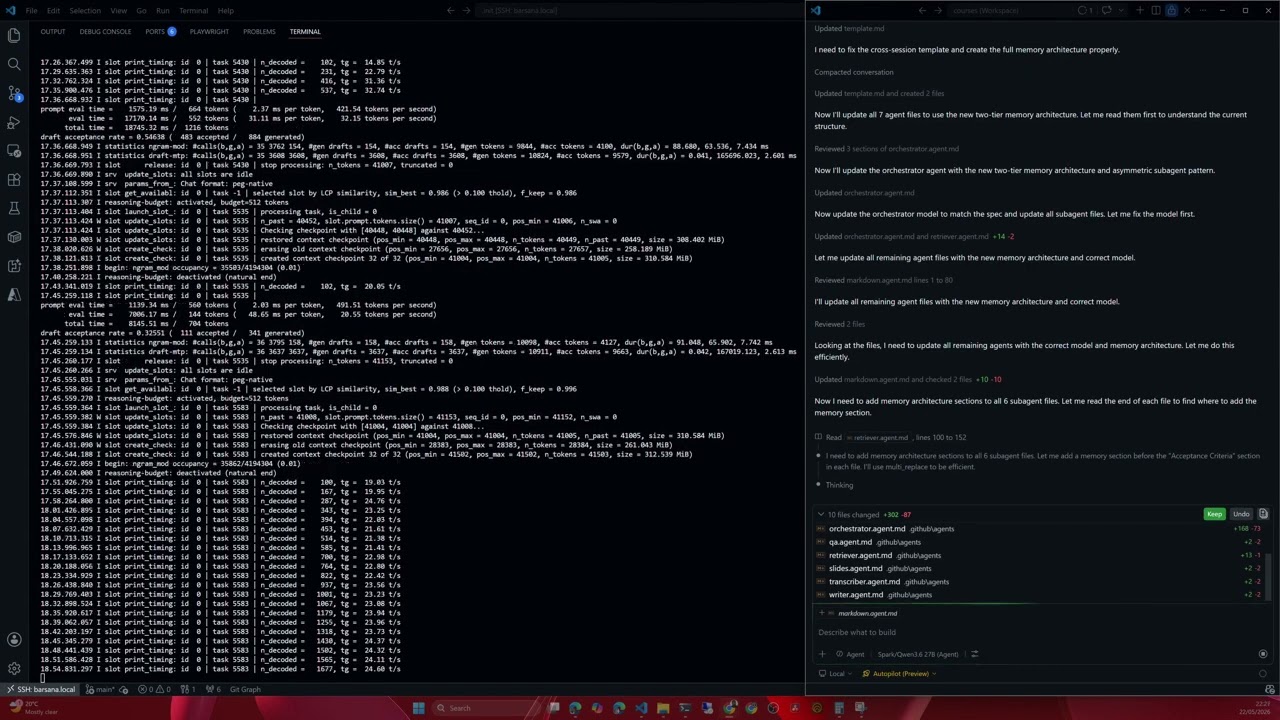
Click the thumbnail above to play the demo recording on YouTube.
Real-time capture: VS Code Chat + llama.cpp interface on a single DGX Spark node.
Performance
| Condition | Throughput | Notes |
|---|---|---|
| DGX Spark, short prompts | ~40 tok/s | MTP n=2 + ngram speculative decoding, model fully on GPU |
| DGX Spark, long context (128K) | ~25–35 tok/s | KV cache grows with context |
40 tok/s achieved when:
- Single DGX Spark node (GB10, SM121, 128 GB unified memory)
- Speculative decoding enabled (
--spec-type draft-mtp,ngram-mod,--spec-draft-n-max 2) - Model fully resident on GPU (
-ngl all,--mlock) - Short-to-medium context (< 8K tokens in prompt)
- 8 threads, flash attention on, F16 KV cache
Optimal Settings for Long Context
llama-server \
-m qwen3.6-27b-text-nvfp4-mtp.gguf \
-a qwen3.6_27b \
--jinja \
--chat-template-file /workspace/chat_template.jinja \
--reasoning on \
--reasoning-format deepseek \
--reasoning-budget 8192 \
--min-p 0.05 \
--spec-type draft-mtp,ngram-mod \
--spec-draft-n-max 2 \
--spec-draft-p-min 0.88 \
--spec-draft-ngl 99 \
-ctk f16 -ctv f16 \
-ngl all \
-fa on \
-sm none \
-fit off \
-c 131072 \
-b 2048 \
-ub 512 \
--parallel 1 \
--cont-batching \
--cache-prompt \
--swa-full \
-t 8 -tb 8 \
--mlock \
--port 8080 \
--host 0.0.0.0 \
--metrics \
--timeout 120
Key Settings Explained
| Flag | Value | Why |
|---|---|---|
-c |
131072 |
128K context window for long documents |
--spec-type draft-mtp,ngram-mod |
MTP + n-gram hybrid | Dual speculative path for higher acceptance rate |
--spec-draft-n-max 2 |
2 draft tokens | Matches MTP head depth |
--spec-draft-p-min 0.88 |
88% acceptance threshold | Balanced speculation, fallback to n-gram |
--reasoning-budget 8192 |
8192 tokens | Extended reasoning budget for complex tasks |
-ngl all |
All layers on GPU | No CPU offloading — DGX Spark has 128 GB |
-fa on |
Flash attention | O(n) memory for long context |
-ctk f16 / -ctv f16 |
F16 KV cache | Precision-critical for long context |
-b 2048 / -ub 512 |
Prefill 2048, decode 512 | Balanced batch sizing for throughput |
--parallel 1 |
1 concurrent sequence | Single sequence avoids memory pressure |
--cont-batching |
Continuous batching | Better GPU utilization under load |
--swa-full |
Full sliding window attention | Better long-range attention quality |
--mlock |
Lock in RAM | Prevents eviction during long generations |
When to Use Long Context Settings
- Codebase analysis: scanning entire repositories (50K–128K tokens)
- Document reasoning: legal/technical documents with cross-reference needs
- Extended conversations: multi-turn sessions accumulating context
- Not needed for: chat, quick Q&A, or prompts < 8K tokens (use simpler settings for max throughput)
Usage
# Quick start
llama-server -m qwen3.6-27b-text-nvfp4-mtp.gguf --port 8080
License
Apache 2.0
- Downloads last month
- 29
Hardware compatibility
Log In to add your hardware
4-bit
Model tree for nilayparikh/Qwen3.6-27B-Text-NVFP4-MTP-GGUF
Base model
Qwen/Qwen3.6-27B
Start the llama.cpp server
# Install llama.cpp: brew install llama.cpp# Start a local OpenAI-compatible server: llama serve -hf nilayparikh/Qwen3.6-27B-Text-NVFP4-MTP-GGUF:NVFP4